Spread the word!

All the activity

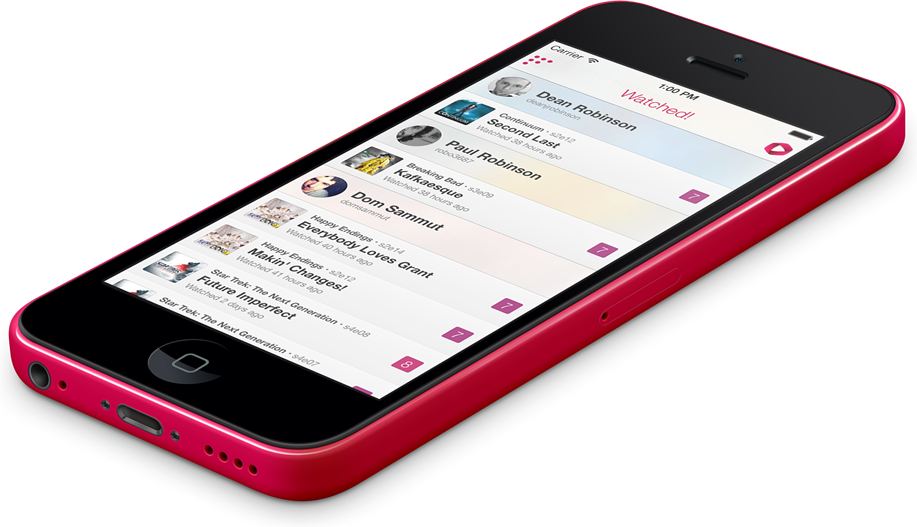
The Stream is where things all come together, see your activity and the activity of your friends in one easy to read stream.

Grouped by user — shows watched, likes, comments and friendships will all appear in your stream.

A small comment icon on an activity item will indicate that there are comments to read. Tap on an activity item to read them.

Watch, Comment, Rate.

Recording you're activity is super simple. Tap the Red button in the top right corner to get started.

  1. Search for the show — or select from a list of recent shows.
  2. Select the episode you've just watched.
  3. Give it a rating, and leave an optional comment.

Done. Awesome.

Spoiler-free zone

The most critical part of TV watching in a social connected environment is steering clear of spoilers, Watched respects this.

The full text of a comment won't appear directly in the stream or on a profile so you're free to post things like "Oh my, I can't believe they killed that professor dude" without worrying that you're instantly spoiling the episode for a friend — if they tap through and read your comment, that's on them.

Your profile

There are three parts to your profile - activity, log and likes.

Activity is like the stream, but its all about you — what you've watched, who you're friends with and more.

The log is a record of everything you'e watched, organised by show — not sure if you've watched season 3, episode 4 of Fringe? Easy, check your log.

Your profile also includes your TV watching stats — just how much TV do you actually watch?

Friends

Watched allows you to find your friends and follow what they're watching as well — once you're friends you'll also be able to comment on each others activity, useful for keeping your spoiler laden discussion away from other social channels.

Friendships are mutual, that is if you send a friend request to someone they have to accept it before you become friends and can interact.

Watched isn't about following everyone in existence, it's about following your friends, like the group that you might normally get together with for lunch and discuss the latest episode of The Walking Dead with.

What's On

Watched also allows you to 'track' shows which are then used to build a personalised TV guide — just for you, only containing the shows you watch, complete with air-times converted to your local time.

Quick tip

Wherever you see this 'track' icon, tapping it will add the
current show to your personalised What's On guide.

Explore

Grouped together under Explore are a set of ways to help you find what's popular, what users are liking, what's got the highest rating.

You'll also find a feature called Catch Up - it's like What's On for shows that have already aired, but that you haven't yet watched — great for those times when you're away for a few days and then need to work out what you've missed.

Available now!